Product Case Study  ·  2026

Fableware
Impact Engine

A choice-driven reflection engine that watches how you play — then deals you the archetype card you earned. Every decision is tagged, weighed, and revealed back to the player as a collectible story.
Design Engineer AI UIUX Product Design Prototyping Godot
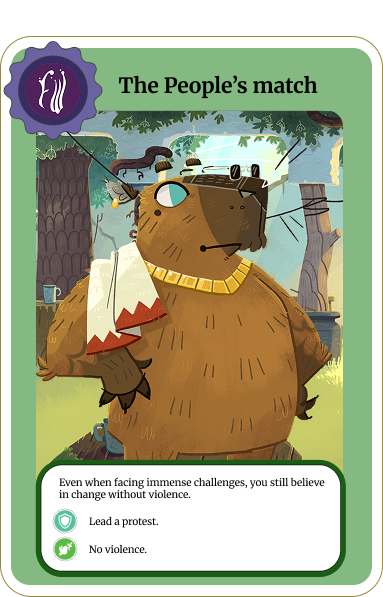
The People's match card
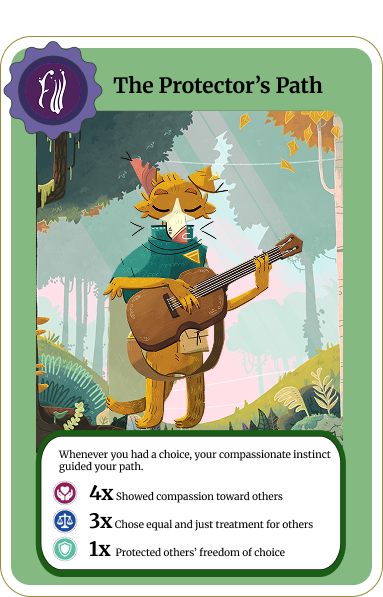
The Protector's Path card
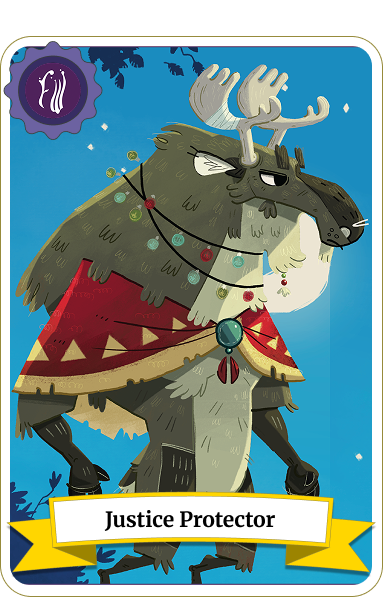
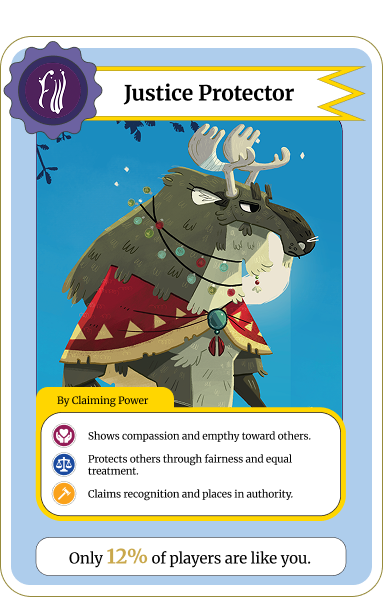
Justice Protector card front
Justice Protector card back
Click card to flip
Scroll to explore
Role
Design Engineer
Timeline
2026 · 6 weeks
Tools
Godot · Figma · Illustrator
Platform
Desktop / Web
Status
Playtesting
01 Overview

Project Overview

Fableware’s Impact Engine transforms complex player choices into personalized summaries and shareable digital keepsakes. As the Lead Design Engineer, I focused on the player-facing experience, including the Player Summary flow, card system, front-end prototype, and developer handoff.
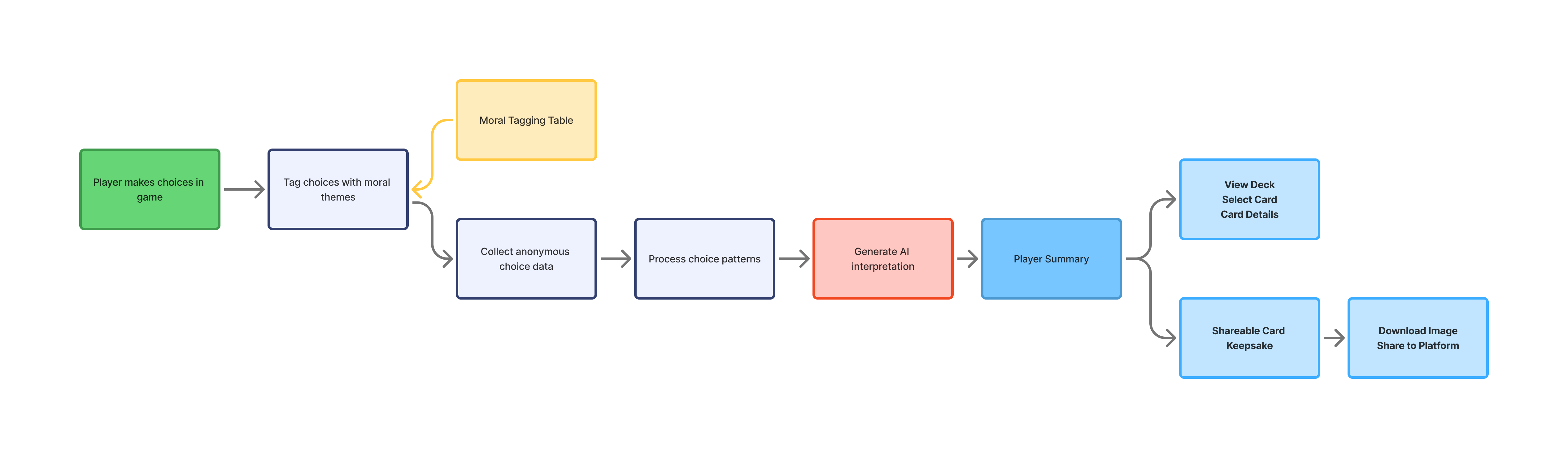
Player Choice
Tagging My Scope
Data Collection
AI Interpretation
Player Summary My Scope
Shareable Card My Scope
Impact Engine workflow diagram
02 Tagging System

Structuring Player Choices

Before designing the interface, I worked with the team to map how player choices could be tagged, processed, and translated into a player-facing result.
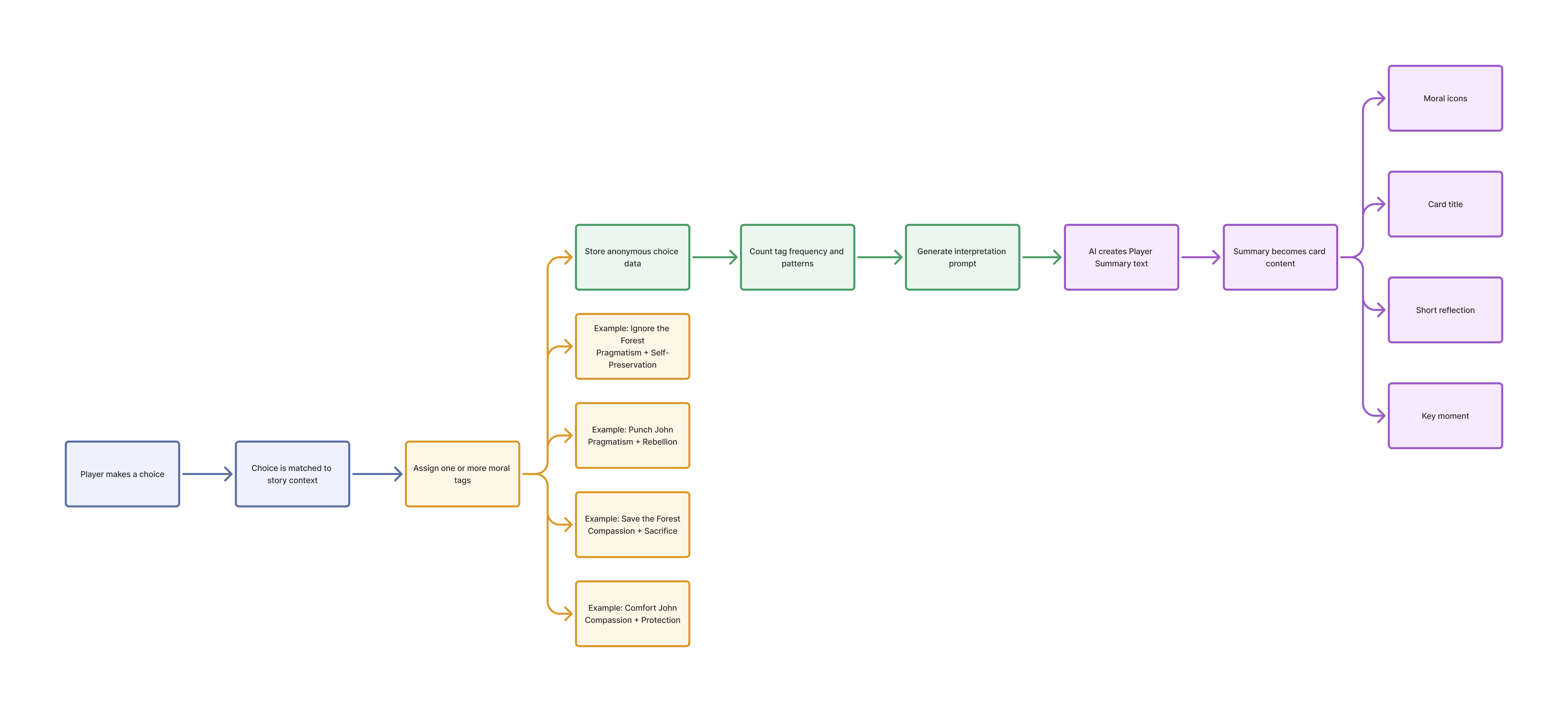
Comfort John
CompassionProtection
Reads as a caring, protective instinct.
Save the Forest
CompassionSacrifice
Chooses others’ well-being at a personal cost.
Ignore the Forest
PragmatismSelf-Preservation
Practical, self-first decision-making.
Punch John
PragmatismRebellion
Direct action over social harmony.
Tagging choice diagram
03 Early Concepts

Exploring the Player Summary

The team explored three possible directions for presenting the player’s results. The client selected the card-based concept because it combined reflection, emotional value, and shareability.
Concept 01: Reflective Report
01
Reflective Report
A structured breakdown of the player’s choices.
Concept 02: Guided Journey
02
Guided Journey
A step-by-step interpretation of key decisions.
Selected Direction
Concept 03: Collectible Card Deck
03
Collectible Card Deck
A visual keepsake designed to be saved and shared.
04 Interactive Prototype

Prototyping the Experience

I built an interactive coded prototype to test the complete Player Summary experience before full development.

Open Collection View Card 1 View Card 2 View Card 3 Share Card Download Card
Player Summary Prototype Walkthrough
05 Internal Testing

Testing Comprehension and Flow

Internal testing focused on whether users understood the summary, connected the cards to their previous choices, and found the experience meaningful.
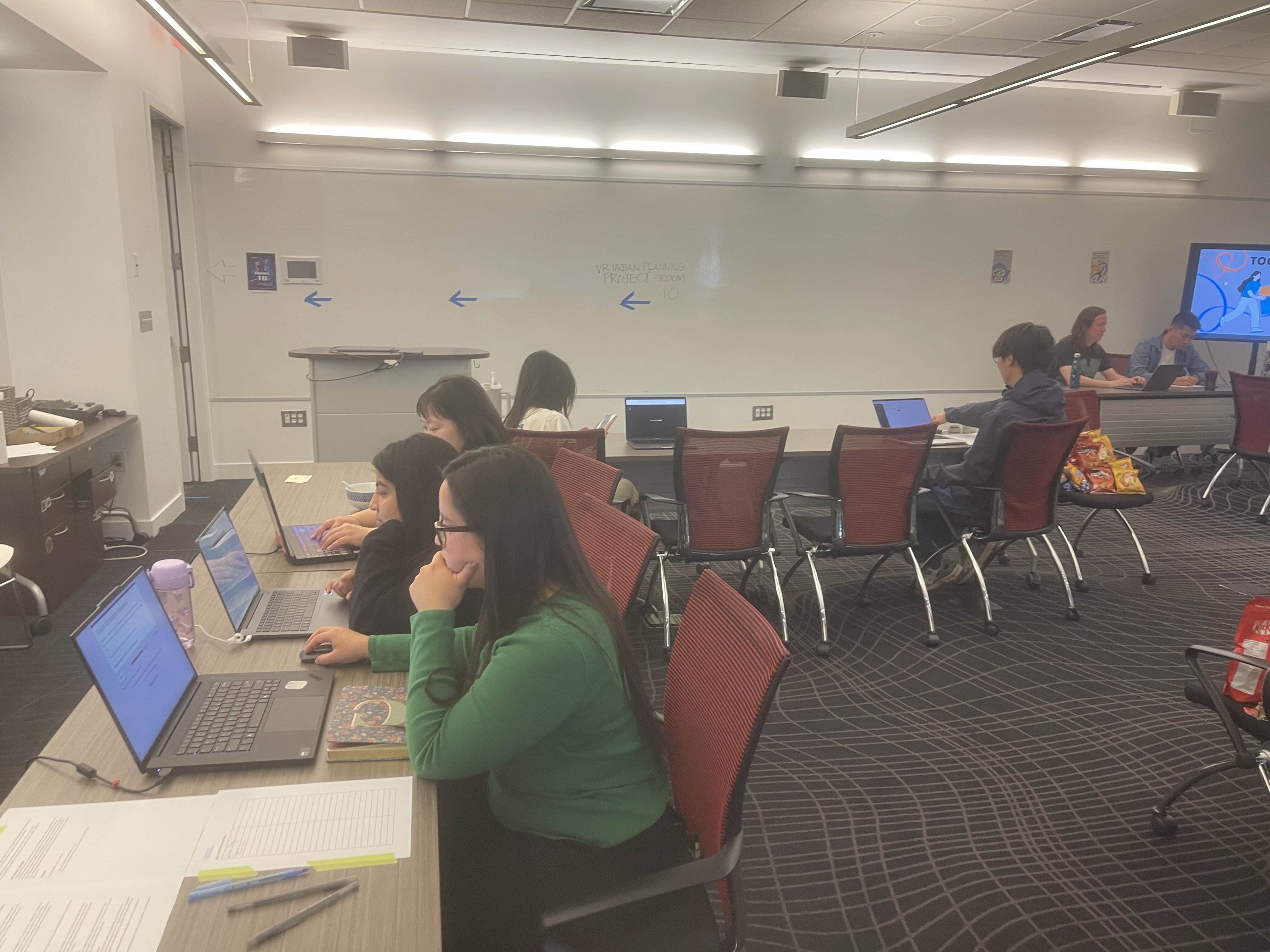
Internal testing session
01
The connection between player choices and cards needed to be clearer.
02
Too much text made the result feel like a report instead of a keepsake.
03
Users wanted to select and explore individual cards.

Design Response

06 Card Design System

Building a Flexible Card System

I designed a modular card system that could support different stories, characters, key moments, moral themes, and narrative outcomes.

Part A — Card Anatomy

Placeholder: Final Card Anatomy · 3:4
01Card Type
02Title
03Main Illustration
04Key Moment
05Moral Tags
06Description
07Card Number
08Brand Identifier

Part B — Card Variations

Placeholder: Card Artwork
The Ally’s Path
Placeholder: Card Artwork
The People’s March
Placeholder: Card Artwork
The Justice Protector
Placeholder: Card Artwork
A Letter from Your Partner
Placeholder: Card Artwork
The Victory You Claimed
Placeholder: Card Artwork
Hold the Line!
07 Icon System

Moral Icon System

I created a compact icon system to help players recognize moral themes and card categories at a glance.

Compassion
Protection
Justice
Loyalty
Autonomy
Sacrifice
Rebellion
Key Moment
Progress
Personality
Placeholder: Card with Applied Icons
Icons applied on a card
08 Interaction & Motion

Making the Deck Feel Collectible

Motion was used to make the cards feel interactive and collectible while keeping the content readable.

Default
Hover
Selected
Expanded
Holographic
Video Placeholder: Card Hover and Holographic Interaction
09 Share Flow

Designing the Share Experience

The sharing flow allows players to select a card, download it as an image, or open a social platform in a new browser tab.

View Deck Select Card Share Card Social Platform / Download Image
10 Developer Handoff

Preparing for Development

I refined the coded prototype and documented the card components, states, spacing, assets, and responsive behavior for developer handoff.

Components

Reusable cards, tags, buttons, modal and carousel.

States

Default, hover, selected, expanded and loading.

Assets

Illustrations, icons, textures and card exports.

Responsive Rules

Layout, text wrapping, spacing and card scaling.

Placeholder: Developer Handoff Documentation
11 Outcome

Outcome

Interactive Player Summary Prototype
Internal Usability Testing
Player Summary Flow
Modular Card System
Card Variations
Moral Icon Library
Share and Download Flow
Developer Handoff
Placeholder: Final Card Collection
12 Reflection

Reflection

View More Work