
An AI-driven flight search app that turns scattered flight prices into clear booking decisions, compare fares, and watch routes before prices change.



International students and price-sensitive travelers often spend days or even weeks checking the same routes across multiple booking platforms. The problem is not a lack of flight options, but the difficulty of understanding which fare is actually reasonable and when to book.
Because prices change quickly and each platform presents different information, users are left to compare fares manually, second-guess their decisions, and worry about either booking too early or waiting too long. This creates unnecessary stress and makes finding a suitable flight feel more complicated than it should be.


"I find a flight, close the tab, check again the next day, and somehow I'm still not sure if I should book it."
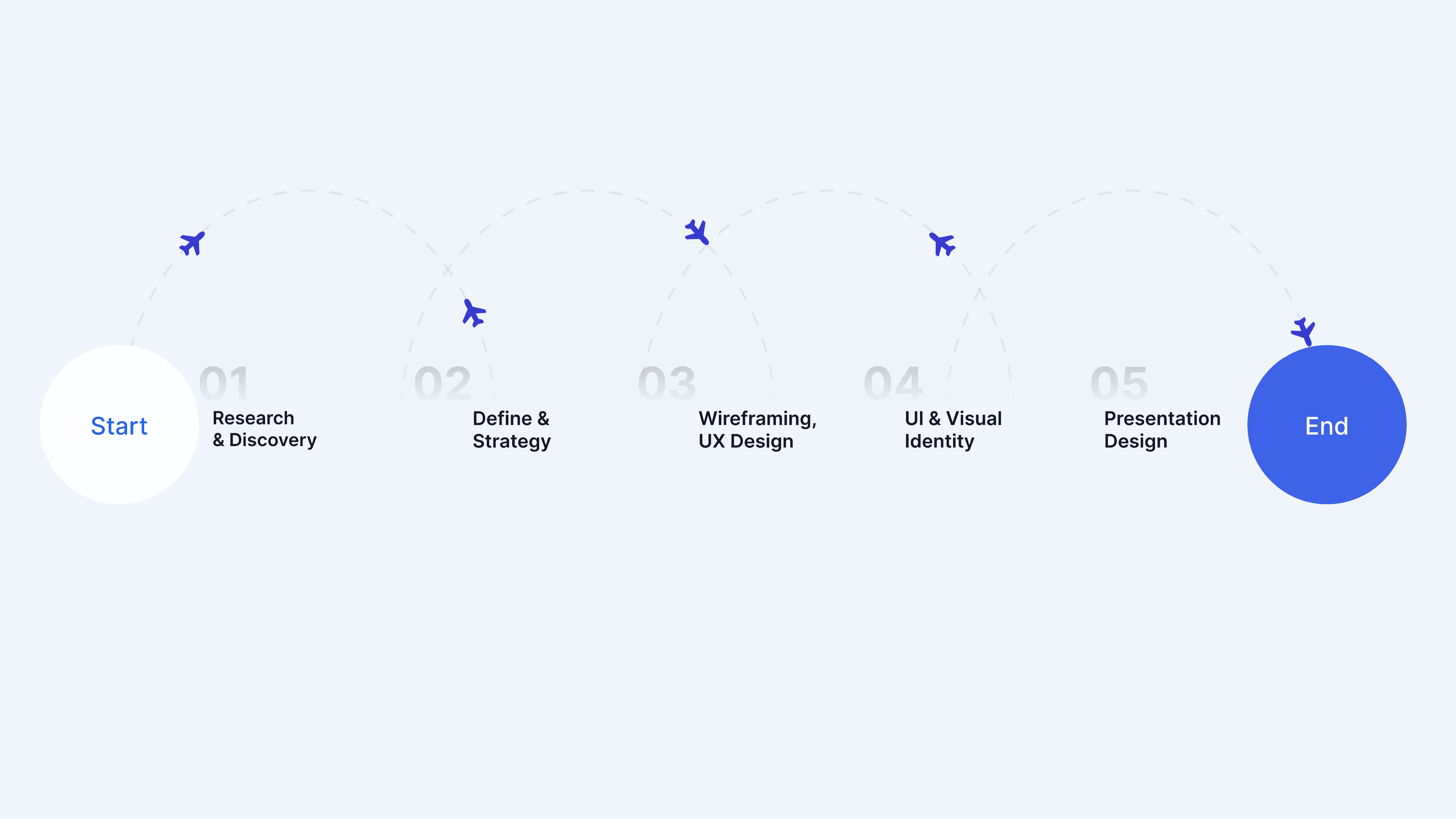
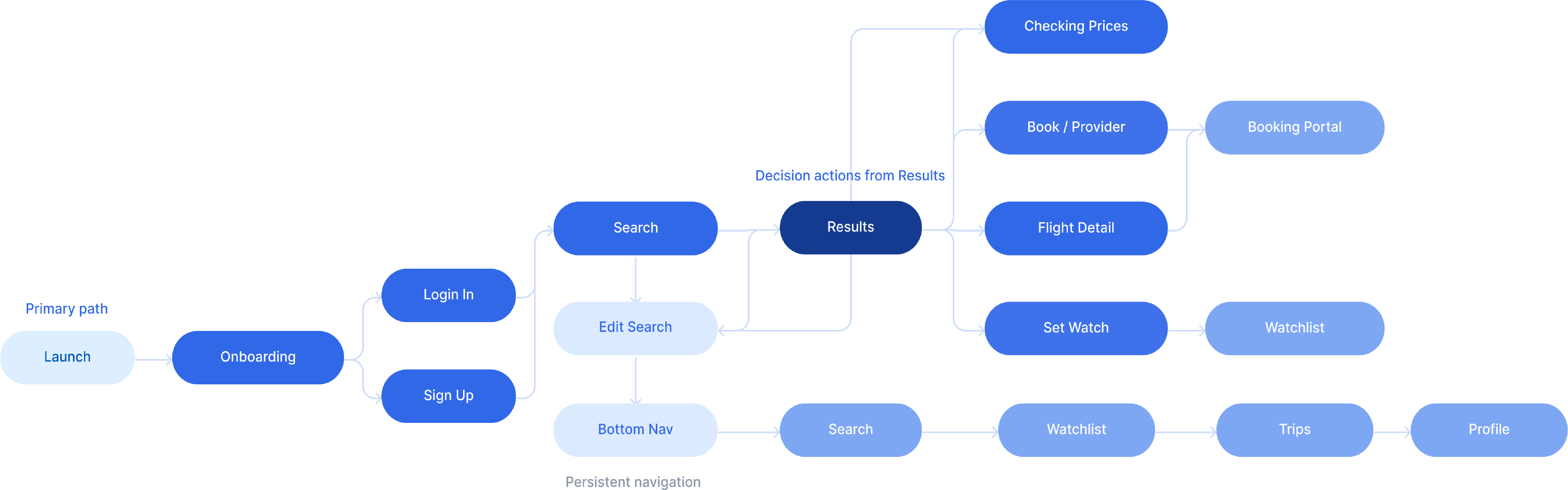
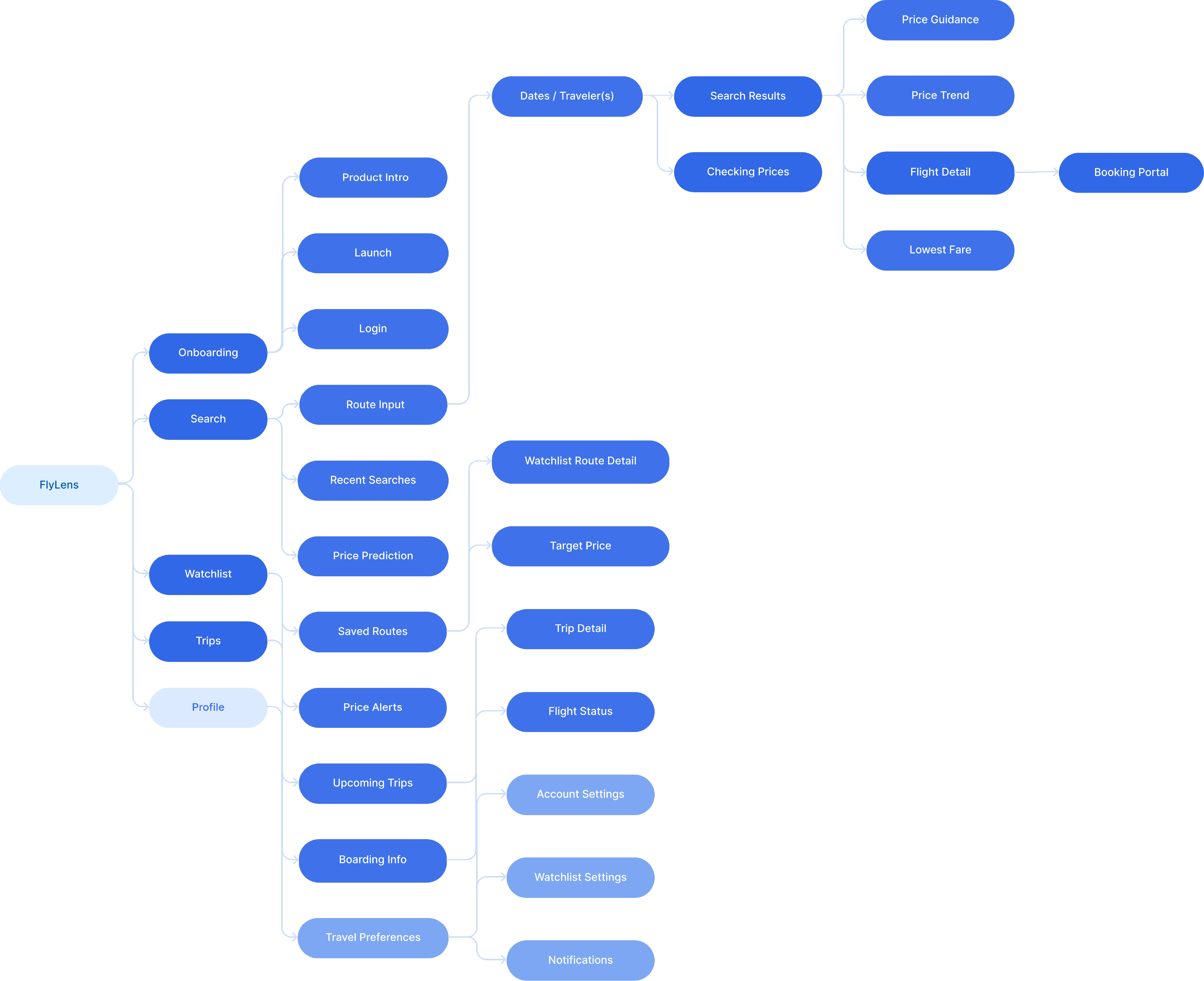
Before screens, the structure. User flow and information architecture grounded every design decision.
A palette of soft blues and cobalt, a wordmark with a spark. FlyLens looks like a brand that knows what it's doing.

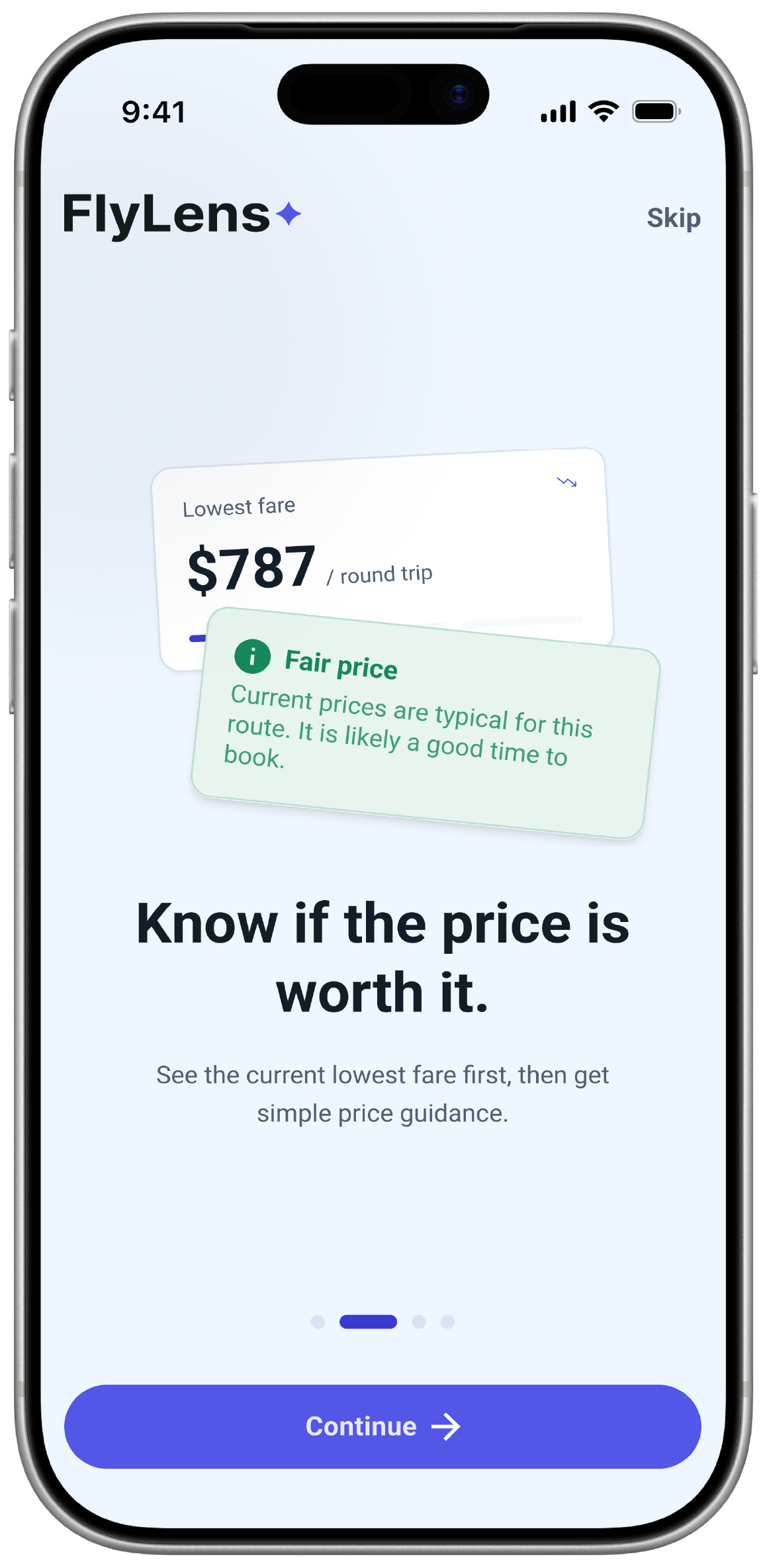
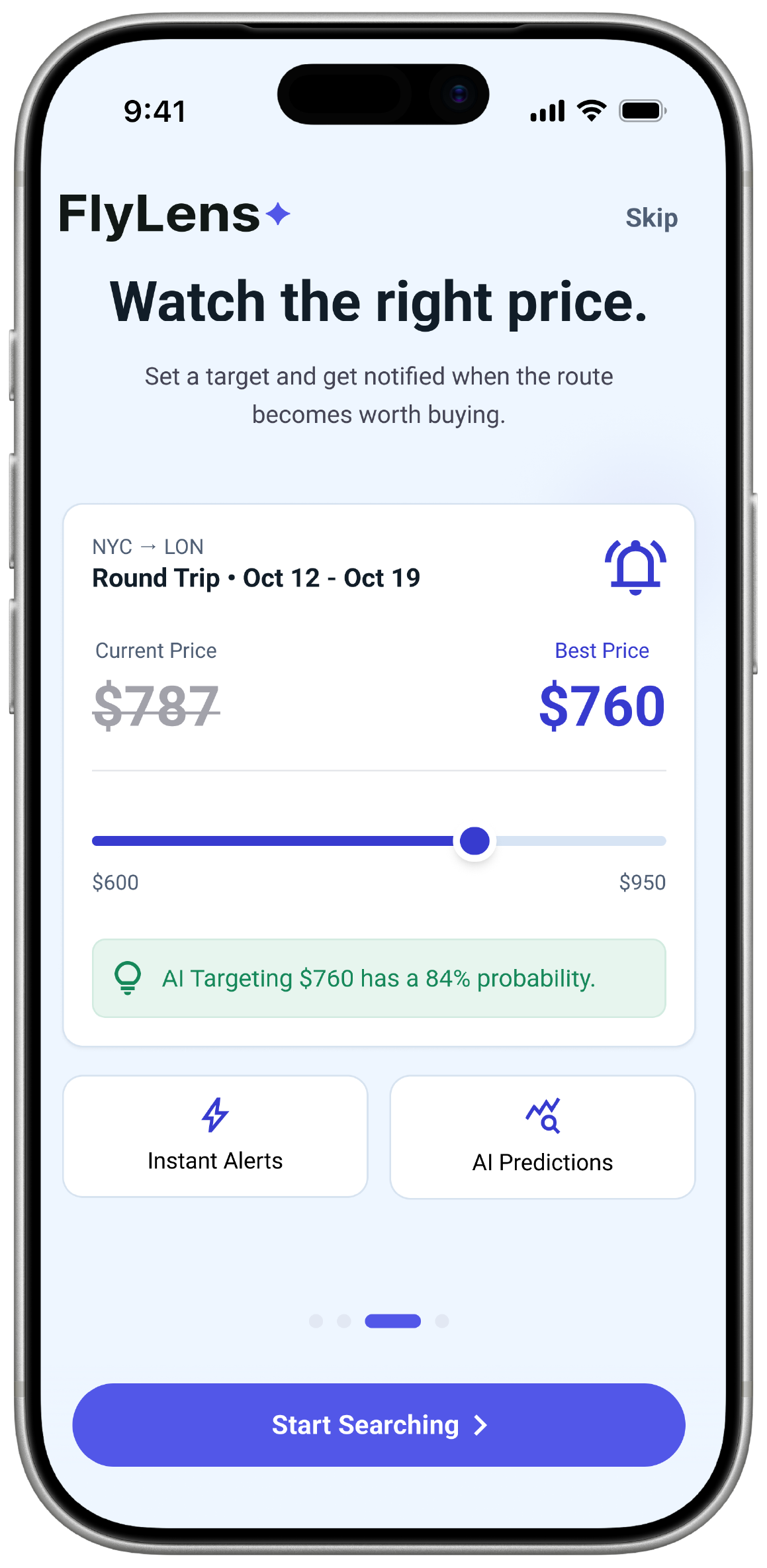
Onboarding introduces FlyLens through a simple, guided flow. It helps first-time users understand how the app compares fares, explains price signals, and supports smarter booking decisions.
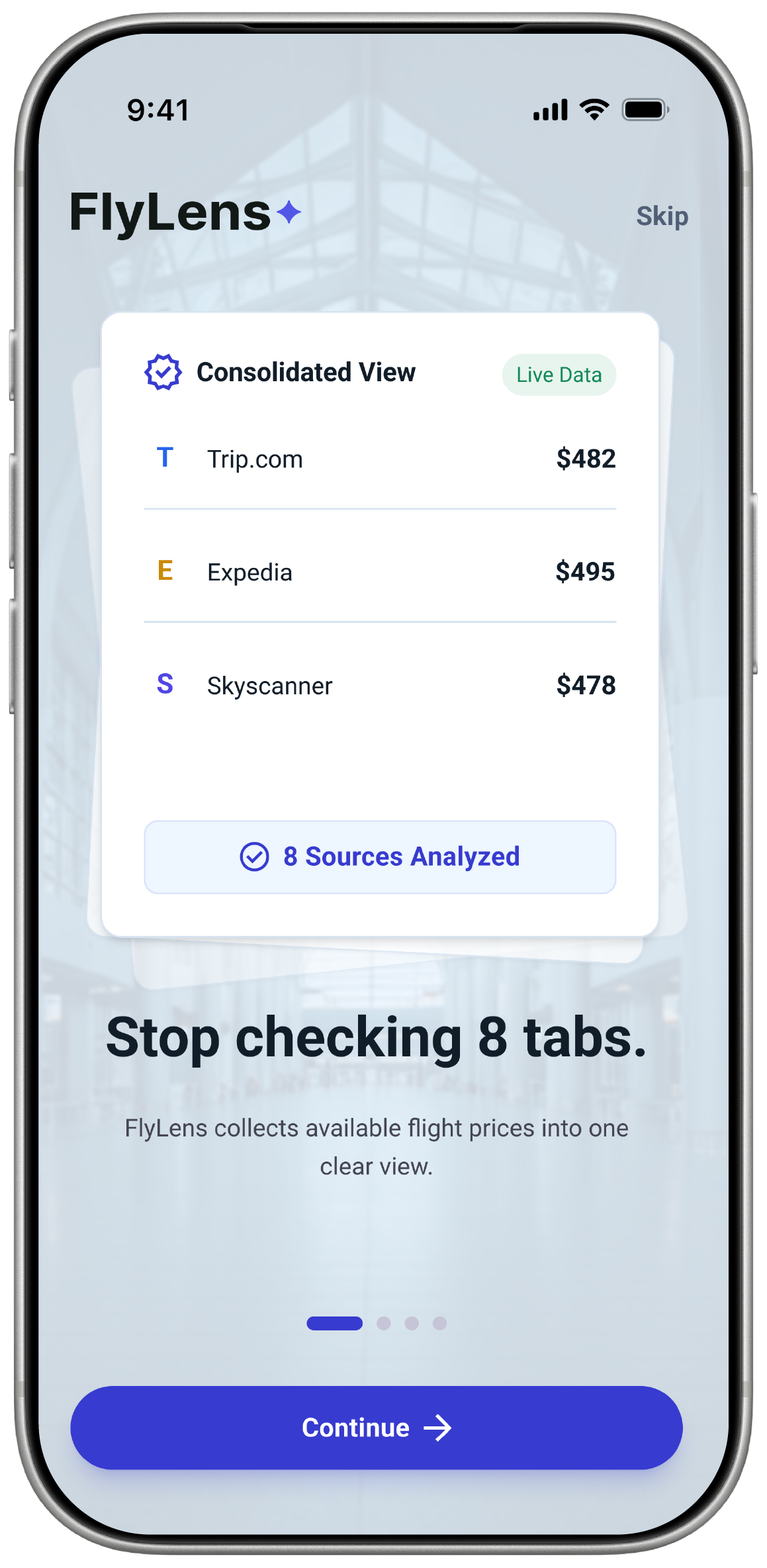 Stop Checking 8 Tabs
 Watch the Right Price
 Know If the Price Is Fair
After the introduction, users can quickly enter the app through Google, email, or guest access. The registration step is kept minimal so users can start searching flights without unnecessary friction.
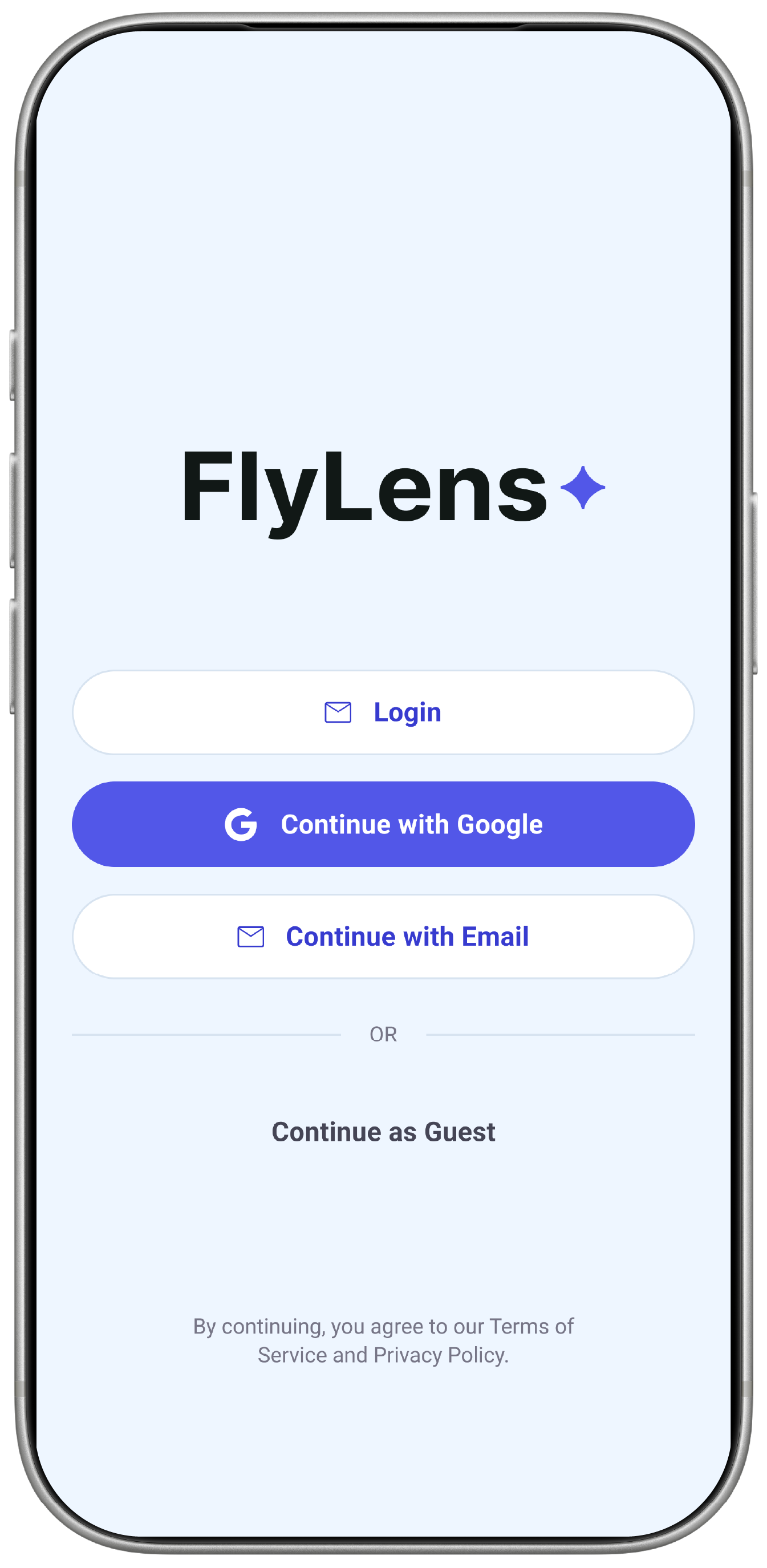 Sign In / Register
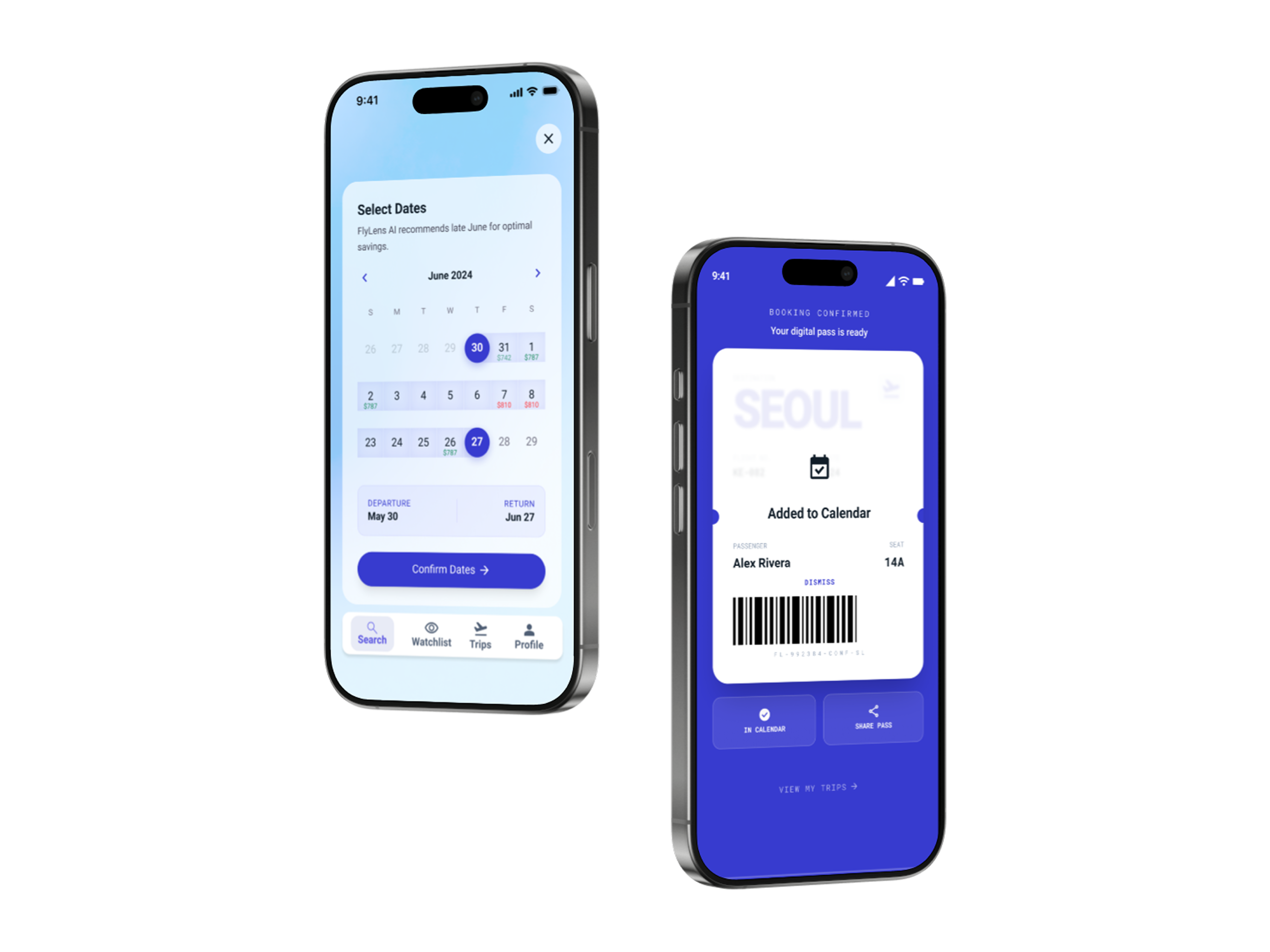
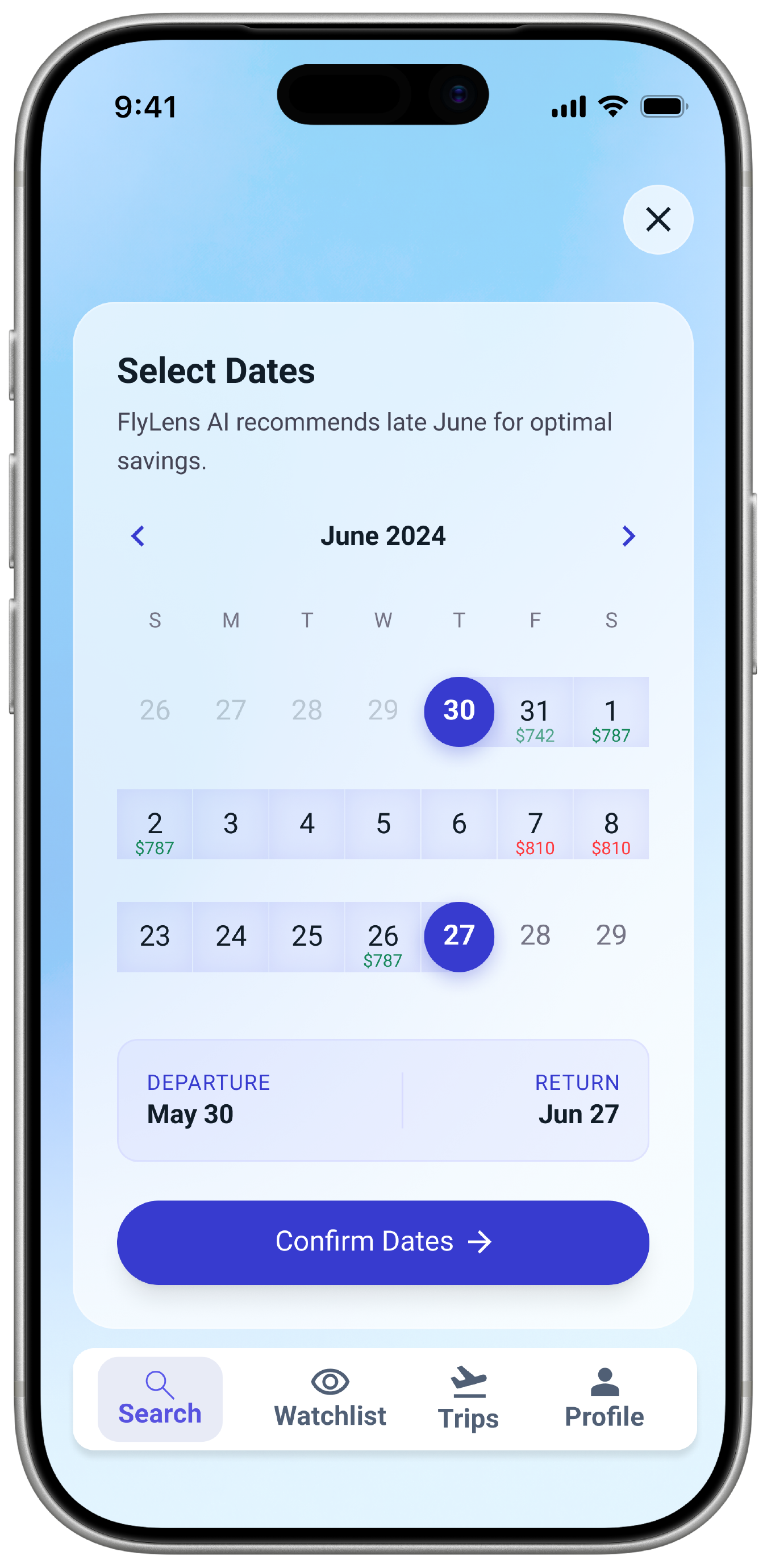
Our booking journey is the main experience in FlyLens. Users enter their route, travel dates, traveler details, and price prediction preference, then FlyLens compares available fare options and presents the results in a clearer format. The results screen does not only show the lowest price; it also shows the provider source, price trend, and AI Prediction guidance.
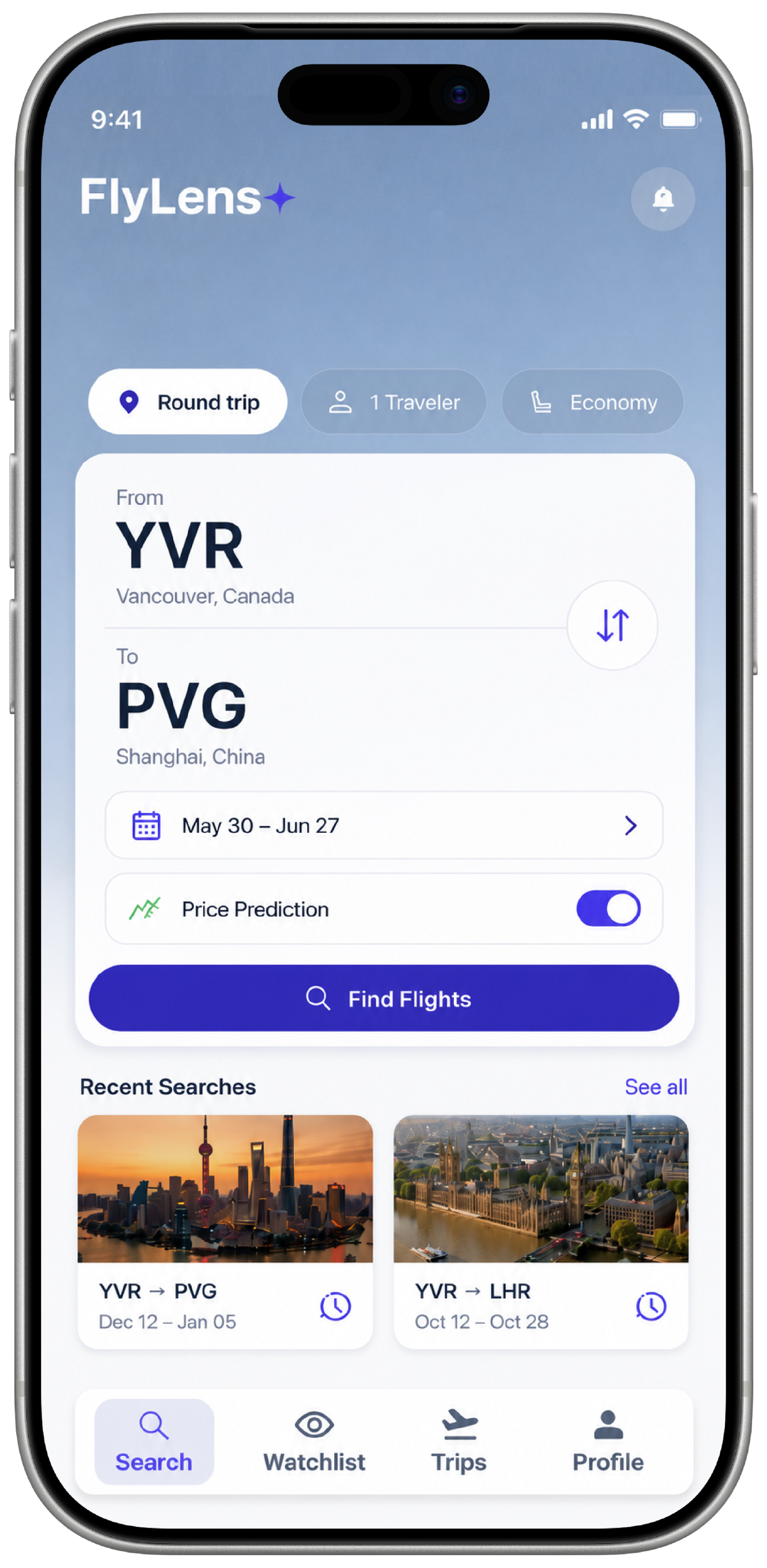 Route & Date Input
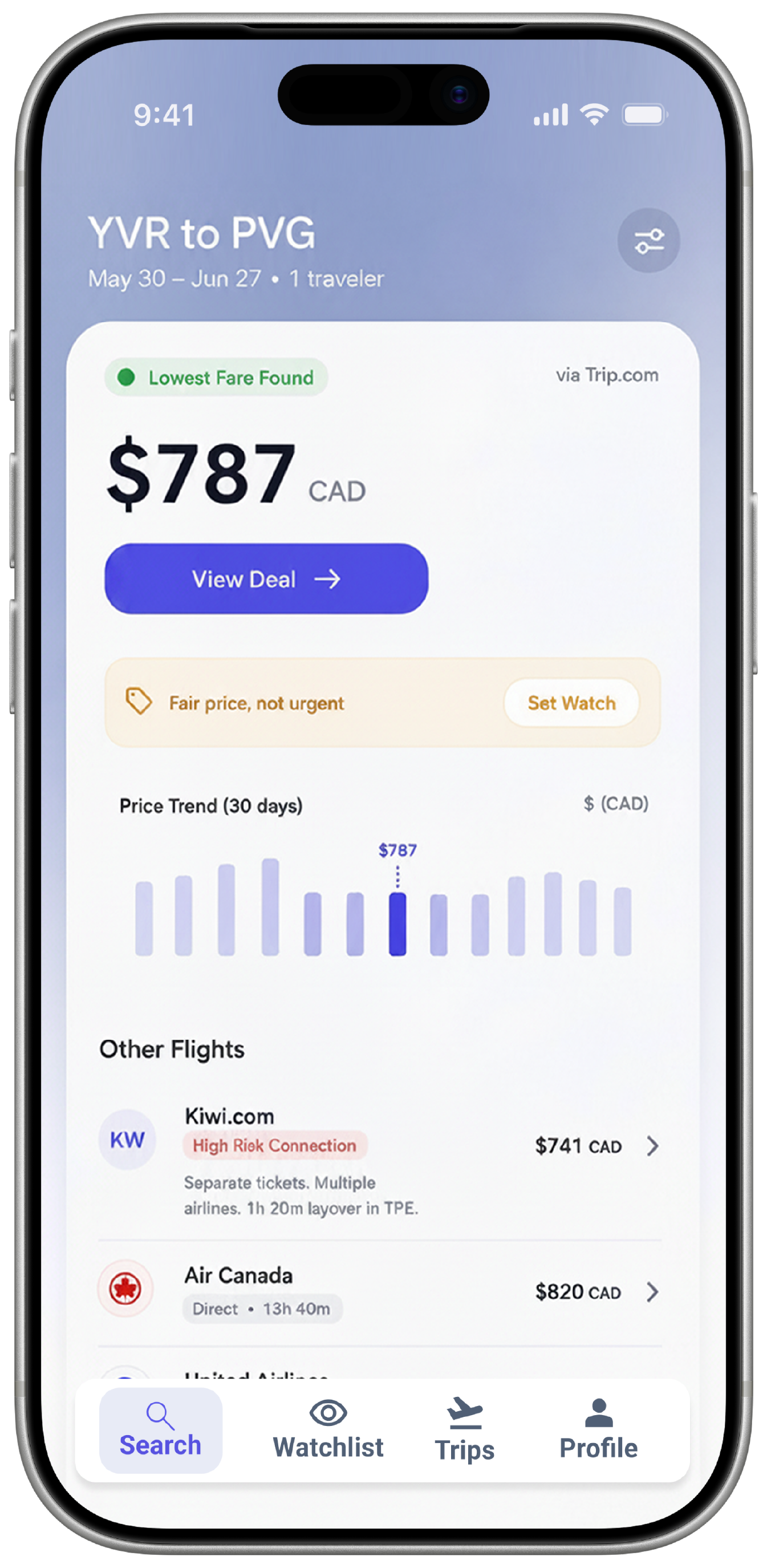 Price Results
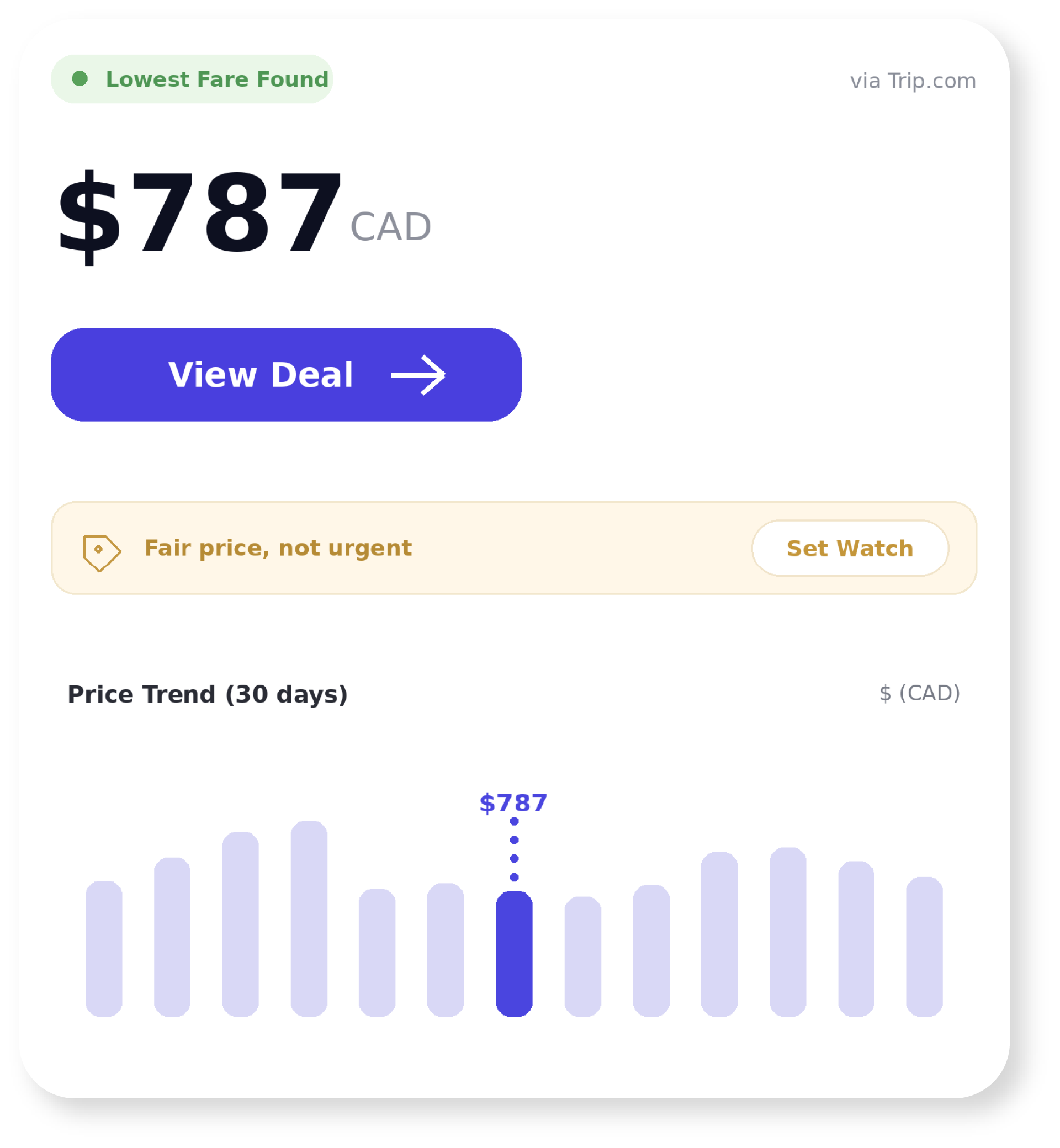 AI Prediction
The Watchlist works as a price monitoring hub for users who are not ready to book immediately. It allows users to save routes, compare the current fare against their target price, review recent price changes, and receive alerts when a route becomes worth booking. This turns the app from a one-time search tool into an ongoing travel assistant.
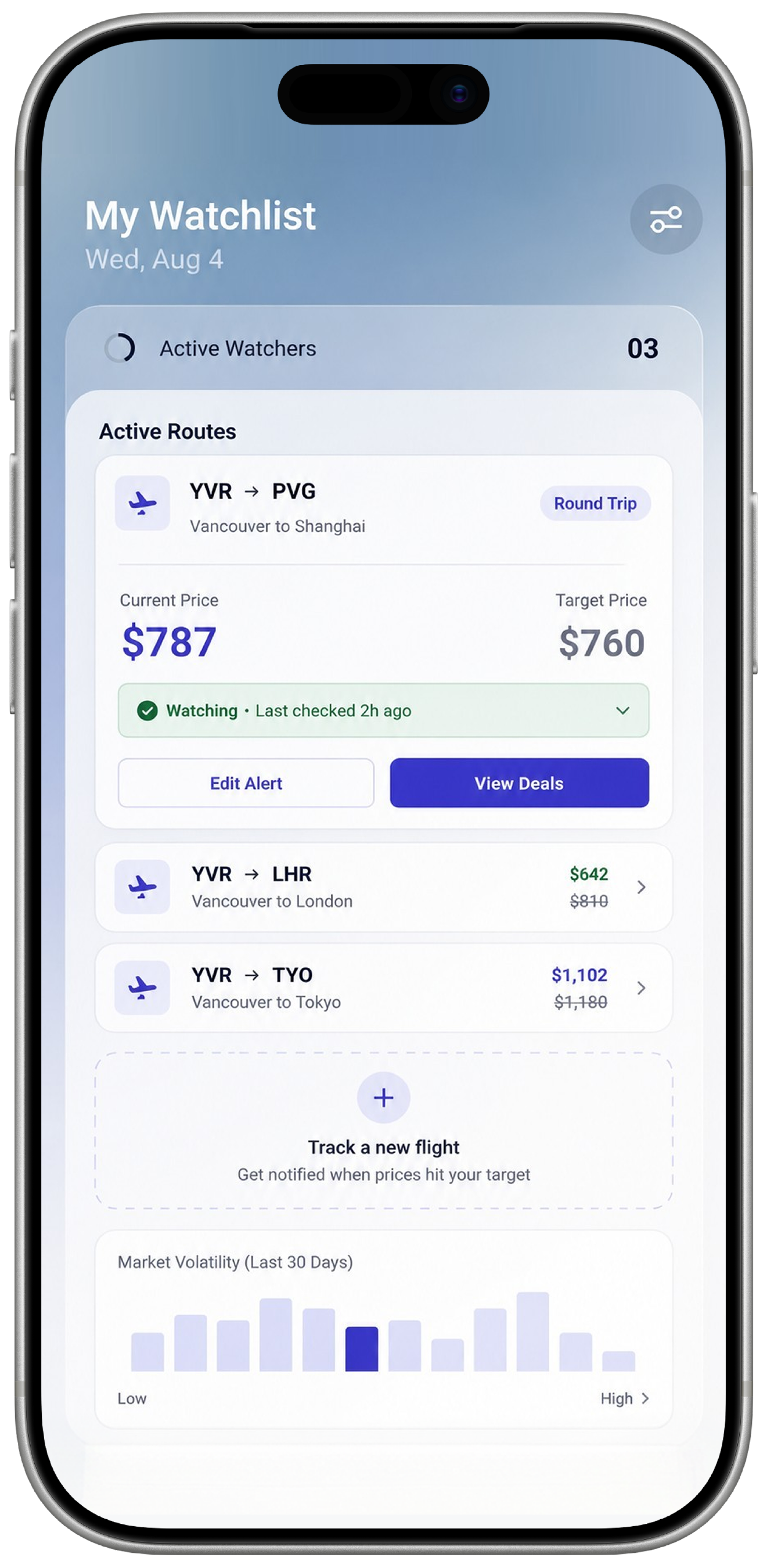 Price Watchlist
Profile brings together saved routes, fare updates, travel preferences, notifications, and account settings so users can manage their travel decisions from one place. This reduces repeated setup work and makes future searches more relevant. Instead of starting from zero every time, users can rely on FlyLens to remember their travel habits and support faster, more confident booking decisions.
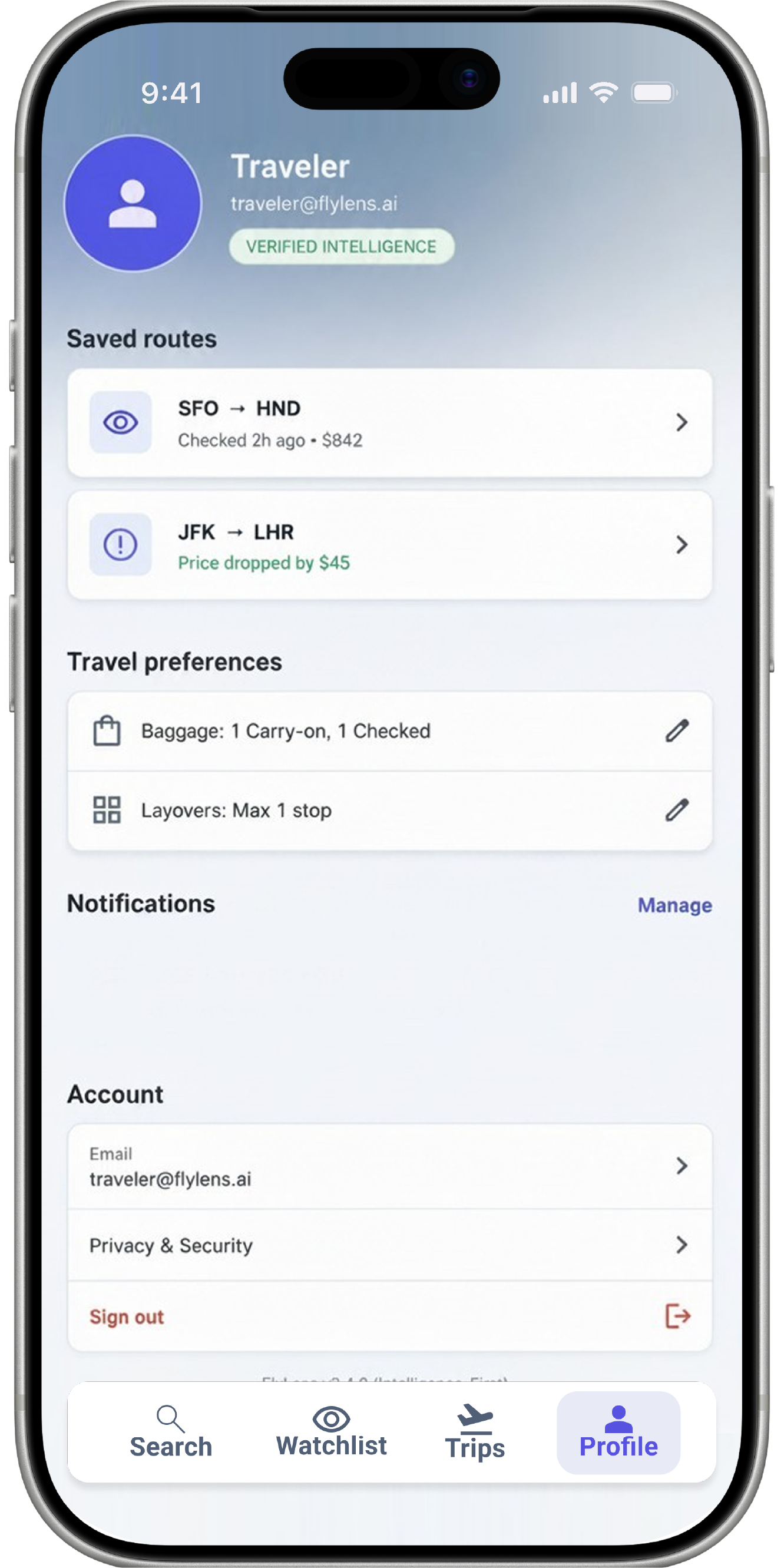 Profile & Preferences
The Success Booking screen confirms that the user's flight information is ready after choosing a deal. The ticket-style layout highlights key trip details such as destination, flight number, gate, seat, passenger, and digital pass.
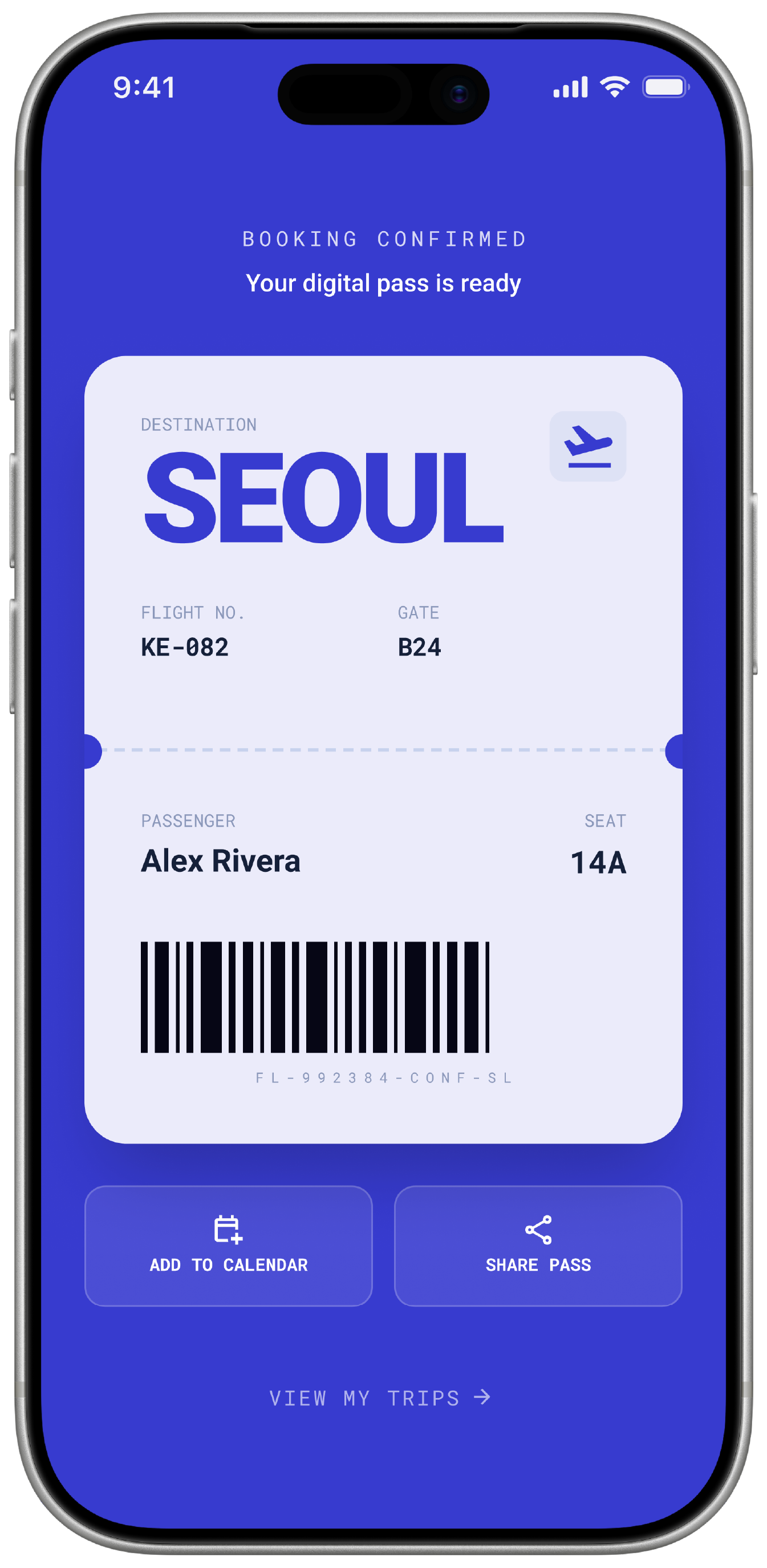 Digital Boarding Pass
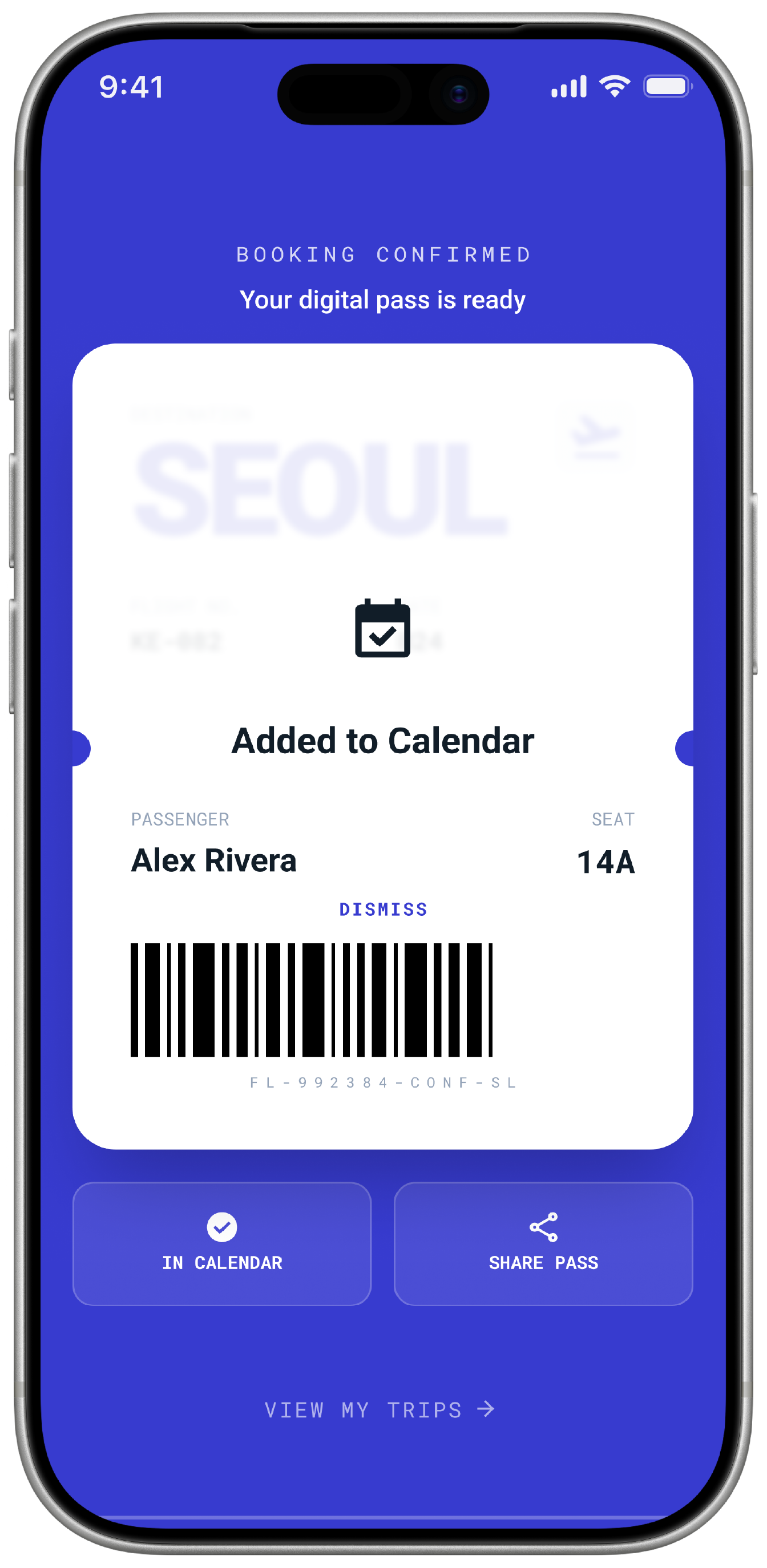 Add to Calendar
Drag to explore every screen.
FlyLens began with my own experience as an international student, where booking flights home always felt more stressful than it should be.